
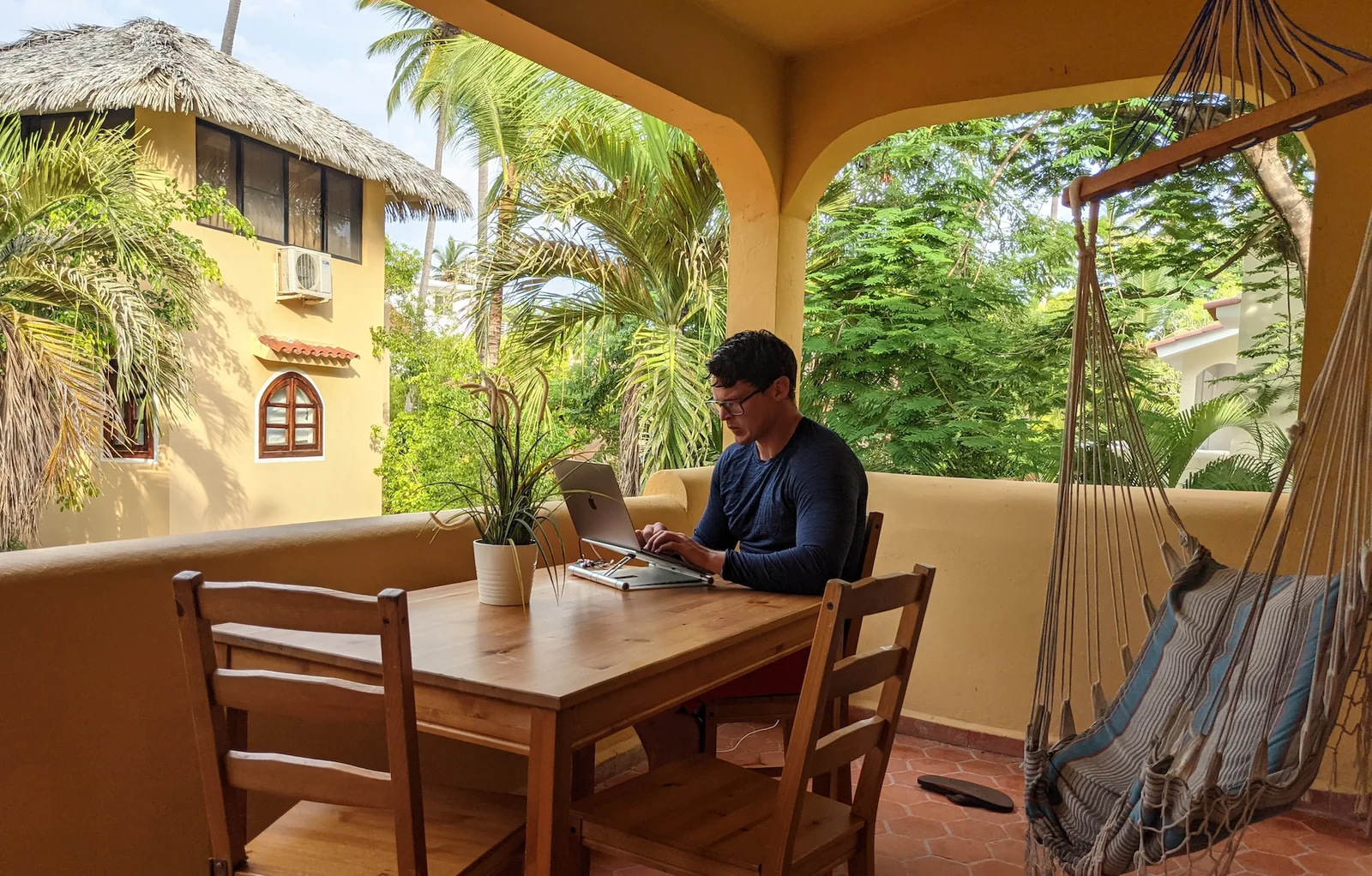
A photo taken at Punta Cana, Dominican Republic, one of the many spots I’ve been fortunate enough to work from after learning these tricks.
What Is A Good Wifi Signal?
A good wifi signal is having a video call with a client with no interruptions in the connection.
The goal when I started my digital marketing business was to work wherever I wanted and whenever I wanted.
However, if every time I went abroad my clients noticed a big difference in my quality of work, my email response times, etc I knew I wouldn’t keep them long. I’ve noticed that a video calls tend to be the most taxing thing I do for the Wifi.
For this reason, my goal is to teach you how to have a seamless video call from anywhere in the world (or at least give you the best shot at it!)
Here Are The Hard Metrics
- Download Speed – 50+ MBPS*
- Upload Speed – 3+ MBPS
- Packet Loss – 2% Or Less
- Speed Latency – Avg. Below 100 MBPS
- Jitter – Avg. Below 30 MPBS
*You can do plenty of tasks outside of these numbers, and even have video calls without problems. In my experience, if I hit all of these metrics I’ve never had issues regardless of where I was in the world.
Countries with the Fastest Wi-Fi: Where to Find Top Internet Speeds Globally
When traveling, knowing which countries offer the fastest public Wi-Fi can be a game-changer, especially for digital nomads and remote workers who rely heavily on internet speed. Here are some countries renowned for having top-tier internet speeds:
- South Korea
- South Korea consistently ranks as one of the countries with the fastest Wi-Fi speeds in the world. With average speeds reaching 121.0 Mbps, South Korea’s advanced infrastructure ensures that you can get reliable, high-speed internet almost anywhere—be it in cafes, hotels, or public spaces.
- Singapore
- Singapore boasts excellent public Wi-Fi speeds, averaging around 87.3 Mbps. The city-state’s highly developed digital infrastructure makes it a top destination for travelers who need fast and reliable internet access.
- Switzerland
- Switzerland’s internet services are known for both speed and reliability, with average speeds of 78.8 Mbps. Many cafes, hotels, and public areas offer free Wi-Fi, making it easy for travelers to stay connected.
- Norway
- Norway offers some of the fastest public Wi-Fi speeds in Europe, with an average of 67.0 Mbps. Whether you are in a rural village or a major city, the country provides robust internet access throughout.
- Romania
- Known for affordable yet fast internet, Romania has an average Wi-Fi speed of 59.0 Mbps. Its rapid internet connections, combined with low costs, make it a favorite for remote workers and digital nomads.
- Japan
- Japan’s public Wi-Fi speeds average around 54.6 Mbps, and it’s easy to find free connections in most major cities. This makes Japan not only a top destination for culture and cuisine but also for staying connected on the go.
- United States
- The U.S. has a wide range of internet speeds depending on the state and provider, but public Wi-Fi in major cities often averages around 52.0 Mbps. While not as fast as some European or Asian countries, it is generally reliable for travelers and remote workers.
What Do These Metrics Mean?
Not Interested In The Nitty Gritty? Jump to the tools & software I use!
- Download Speed
- The speed in which you can retrieve information from the internet
- An example is the ability for your internet connection to retrieve all the video and audio from your client video calls quickly
- This is the most popular metric in wifi speeds. Generally this correlates with improvements in the other metrics.
- Upload Speed
- The speed of your internet connection to send data from your device to the internet
- An example of this is your video and audio being sent from your device to the internet in a video call
- This is quite important for video calls, as you can imagine
- Packet Loss
- Packet loss is the failure of data packets to reach their destination in a network, resulting in incomplete or disrupted communication.
- This means your video doesn’t come through clear, or your audio lags, etc.
- Latency
- Is the time it takes for data to be transferred from it’s original source to it’s destination and back (in milliseconds)
- An example is the amount of time it takes your audio and video to be sent and rendered on your clients screen in a video call
- Jitter
- Tracks the fluctuation of latency over time (in milliseconds)
- So if the speed of your latency is changing all the time, then your jitter will be high

How to Get Wi-Fi for Free W/ Apps
Staying connected without paying hefty fees for Wi-Fi access can be challenging, but with the right tools and strategies, you can access free Wi-Fi securely. Here are a few methods to get Wi-Fi for free:
- WiFi Map
- One of the most popular apps for finding free Wi-Fi globally, WiFi Map shows you the locations of nearby free hotspots along with user-provided passwords for secured networks. It works in over 100 countries, helping travelers easily locate free Wi-Fi in cafes, restaurants, and public spaces.
- Instabridge
- Another excellent app for finding free Wi-Fi, Instabridge provides access to over a million free Wi-Fi spots around the world. The app automatically connects you to the best available network without needing to enter a password, making it hassle-free to use.
List Of Tools / Software That I Use
- Starlink Mini
- It’s taken me a bit to figure out how to use this, and its not perfect. You have to find areas that are “obstruction free” and it only works in a specific list of countries. This satellite has been a game changer. I am writing this now from the Slovenian Countryside, using the Starlink Mini.
- Local SIM Cards
- 50 Ft. of ethernet cord
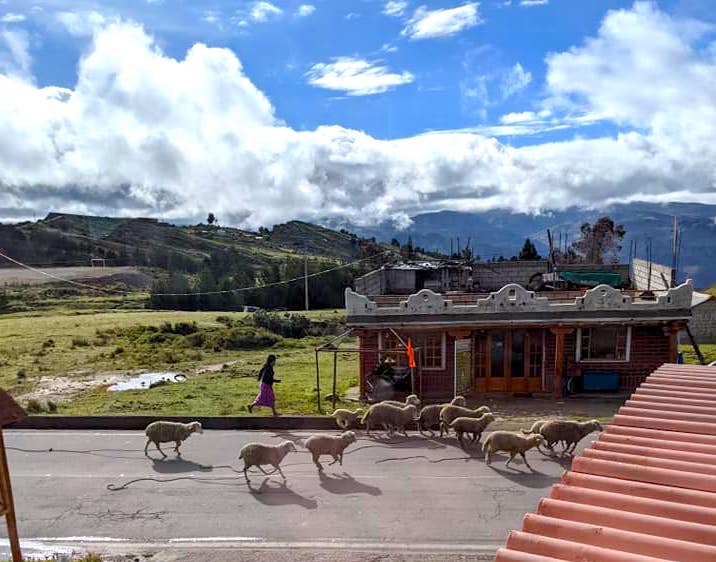
- Plugging an ethernet cord into your labtop from a Wifi Router is definitely the best way to get a consistent internet connection, I had a 90 minute Zoom meeting with only one hiccup high in the middle of nowhere in the Ecuadorian Andes after plugging my ethernet cord into the hotel’s Wi-fi Router. See a picture of where I was below.
- Solis Hotspot
- I would go with a local SIM if you can, but if you can’t, this can be a good tool to use. I was skeptical about this hotspot at the beginning, not going to lie however it’s proven itself quite handy!
- In Ecuador, it averaged 7 more MBPS in upload speed than my Google Fi hotspot. At the time of writing this, it is averaging 3 more MBPS in upload speed than my Google Fi Hotspot in Greece. I don’t think it could handle video calls, but if you’re in a pinch it can work for many other things.
- If you’re interested, here’s the spreadsheet where I track the wifi connection across the countries I’ve visited. (I just started this in April 2021 unfortunately so many missed opportunities!).
- Google Fi
- This turns my phone into an international hotspot – with this service I get unlimited data, and texting internationally in 200+ destinations and pretty cheap calling as well. I haven’t been able to find a country that I don’t get coverage in.
- I word it like this, I get good coverage everywhere but not great coverage anywhere, the coverage in the US isn’t as spectacular as Verizon – but for me it’s more than enough.
- When writing this, the service starts at $80 a month and get’s $10 cheaper per month for each person that you add to your plan. If you’re interested in trying it out, and would like to support this blog, here’s a link for $20 off your bill when you signup.
May 2022 update – Google Fi has turned off my international data since I was outside of the country for too long. They don’t share how long you have to be outside of the country to get cut off, but it looks like over 6 months straight and they’ll kick your ass off.
- Nperf.com
- For testing, they allow you to test all of the metrics mentioned above. There are plenty of other tools to test wifi speed, my recommendation is to stick with one tool, because you’ll find the inter-tool reliability is pretty bad (meaning you get consistently different results from one tool to the next).
- Asking Other Nomads In Groups / Forums
- This is a super effective way, and generally the most accurate way of getting good up to date info.
- Search in Facebook or online for digital nomad groups in whatever area you want to go to and ask them directly about their recommendations
- If you have a couple extra bucks, nomadlist.com is a killer way to chat with nomads in the spots you want to go to
- Croissant Co-Working App
- I found out about this software while in Lisbon, seems like every other person I meet uses it. It’s a pretty sweet deal, you sign up for one membership and get access to coworking spots all over Europe, the US, Israel & South America (there may be more spots added after I’ve written this
- The pricing changes based on where you’re based out of, but is around ~$30 a month. You can get a decent discount (for both you and I) if you use the code loren89
- Search Function In Review Sites
- Search on Google, or go to Booking.com and look at their wifi score, more on this below.
- Bonus Tool – A Tracking Spreadsheet
- If you’re as nerdy (or neurotic) as I am you can even track your test results in a Google Sheet, like mine here. From there you can easily see how your wifi speed is from place to place, you can see how your hotspots are performing on average, etc.
A wifi test I did with a Starlink Mini with a beautiful background in Kandersteg, Switzerland. Used CapCut to pull this together—highly recommend it if you’re editing on the go.
Tools / Hardware That Haven’t Worked (For Me)
- Speedify
- I have tried this software a couple of times, and it’s a popular one that I’ve heard about a lot. One time really early on in my traveling, and again while in South Africa. Both times trying the software, I saw no increase in any meaningful metrics.
- Wifi Range Extenders
- I tested out one of these, and didn’t see any meaningful increases in any meaningful metrics. I think if you’re super far from the router than perhaps, but in that case I’d just say find a quiet place closer to the router for your video call.

Top Apps for Finding Free Wi-Fi Internationally
Finding free Wi-Fi while traveling can save money and keep you connected wherever you go. Below are some of the best apps to help you find free Wi-Fi internationally:
- WiFi Map
- WiFi Map is the leading app for finding free public Wi-Fi globally. With a community-driven database of free hotspots, it provides detailed information on locations and passwords shared by users. Available for iOS and Android, it covers over 100 million Wi-Fi spots worldwide.
- Instabridge
- Instabridge is a great alternative for finding and automatically connecting to free Wi-Fi. The app has a simple interface and works in many countries, including the U.S., Europe, and parts of Asia. It’s particularly useful for users who don’t want to keep manually entering passwords.
- Wiman
- Wiman is another top app that helps users locate free Wi-Fi networks. It boasts an extensive list of over 60 million Wi-Fi hotspots globally. The app even offers offline maps, so you can still search for free Wi-Fi when you don’t have a data connection.
- OpenSignal
- Though primarily an app for mapping cellular coverage, OpenSignal also features free Wi-Fi hotspots around you. It provides a combination of mobile signal strength and Wi-Fi network locations, making it a helpful tool for travelers looking to stay connected.
- Avast Wi-Fi Finder
- Known for its antivirus software, Avast’s Wi-Fi Finder is an excellent option for locating free, safe Wi-Fi networks. It provides a list of trusted public Wi-Fi hotspots, verified by Avast, and offers strong security features to ensure you’re connecting safely.
How To Find Hotels Abroad With Good Wifi
- Asking Other Nomads In Groups / Forums
- This is a super effective way, and generally the most accurate way of getting good up to date info.
- Search in Facebook or online for digital nomad groups in whatever area you want to go to and ask them directly about their recommendations
- If you have a couple extra bucks, nomadlist.com is a killer way to chat with nomads in the spots you want to go to
- Look For Co-Living Spots First
- I’m writing this from Southern Mexico and they have all kinds of co-living places. 9 times out of 10 if the place is labelled as a Co-living spot, then it means that they’ll have quick Wifi.
- So just search in Google, Booking, etc. for Coliving + your city, and see what you can find. These places will usually have discounted prices if you stay for a month at a time. Selina is my favorite co-living spot, with locations all over Mexico and the US.
- Search Reviews On Booking.com or Google
- Go to their reviews, then use the search icon to search their reviews for the keyword “wifi” or “internet”. See how many people have reviewed positively and or negatively on their wifi.
- On Booking.com, they actually have people review the wifi as well, so you can see the wifi score of the hotel you want to stay at.
- Save Good Hotels
- As you find hotels with good reviews on their Wi-fi save them in your favorites on Booking, or a 3rd party app.
- Test The Wifi Before You Buy
- Go to the hotel your heart most wants to stay at, once you get to the lobby let them know that you’d love to stay there but you work online and need to check the wifi first. Run a test through Nperf.com, and if the results hit the minimums outlined in the “What Is Good Wifi” section then that’s your hotel! If not, head onto the next one.
- Bonus Points
- Ask the hotel staff if you could see the wifi router, if they let you check it out you should be able to plug your Ethernet cord in for even more stable wifi (if needed).
Extra Tips Around Fast Wifi At Hotels
- Wifi May Differ From Floor to Floor, or Even Spot to Spot
- This is HUGE! I recall running wifi tests in the lobby of a place seeing great numbers, then struggling in my hotel room on a video call.
- Ideally, you want to be as close to the router as possible with the fewest walls between you and the router.
- Nicer hotels will usually have a router on each floor, but others may only have a router on the lobby floor.
- The Fewer People Using The Wi-fi The Better
- If your at a hotel with okay wifi, then you’re not going to want to battle with the other folks using the wifi.
- This can also mean just using the wifi early in the morning when everyone is asleep, or late at night while everyone is asleep! If your sleep schedule hasn’t adjusted to the timezone yet this can be a plus!
- *If you’re at a hotel with great bandwidth, and caps on how much bandwidth individuals can use, then this is unnecessary

Getting Fast Wifi Outside of Your Hotel
In this case a lot of the same elements outlined above are going to hold true namely the following
- Busier places may have slower wifi (or if you see everyone is on a lab top they could have great bandwidth! So take this advice with a grain of salt)
- Metropolitan cities tend to have faster wifi than rural areas, Nperf actually has a pretty cool map that can give you a decent idea of what the download speeds are for different parts of a country.
- Try To Use an Establishments Wifi – Even if you have to buy a drink, this is usually cheaper and faster than a hotspot. Although if you’re only going somewhere for wifi, test the wifi first before buying something. I had to buy a $7 poor quality beer at some bar in Tahiti only to find out the wifi didn’t even work! I didn’t even want to be at the bar I was just looking for Wi-fi, (needless to say, I was pretty pissed). I then had to rush to the next cafe / bar to see if I could find a place with wifi.
- Test Out Your International Hotspots – If the wifi isn’t working at a nearby establishment then I always try out both of my hotspots, see which one is faster and go with that one. I prefer to have two hotspots available to me at all times, I like Google Fi’s and Solis‘ but there are others out there for sure!
With these tips, I was able to do a month-long RV trip around Europe, check out the videos from this trip here.
Conclusion
Whether you’re traveling for work or leisure, staying connected is easier when you know where to find fast and free Wi-Fi. By leveraging tools like WiFi Map and VPNs, and using apps like Instabridge, you can access secure and free internet no matter where you are in the world. And if speed is essential, heading to countries known for their lightning-fast public Wi-Fi will ensure that you’re always connected at the highest level.
FAQs: Ensuring Fast Wi-Fi While Traveling
1. What qualifies as a good Wi-Fi signal for working remotely?
A good Wi-Fi signal allows you to perform high-bandwidth activities, like video calls, without interruptions. Here are the key metrics to look for:
- Download Speed: 50+ Mbps
- Upload Speed: 3+ Mbps
- Packet Loss: less than 2%
- Latency: Below 100 ms
- A good Wi-Fi signal allows you to perform high-bandwidth activities, like video calls, without interruptions. Here are the key metrics to look for:
- Download Speed: 50+ Mbps
- Upload Speed: 3+ Mbps
- Packet Loss: less than 2%
- Latency: Below 100 ms
- Jitter: Below 30 ms
- If your connection hits these metrics, you should have no issues with video calls, emails, and other tasks, no matter where you are in the world.
2. How can I test Wi-Fi speed before choosing accommodation?
Use a speed test tool like Nperf.com to measure download, upload, latency, and jitter. If you’re at a hotel or cafe, politely ask to test their Wi-Fi before committing to staying or buying something. Testing first ensures you won’t be caught with a slow connection.
3. What are the best tools for staying connected on the go?
Some of the most effective tools are:
- Starlink Mini: A satellite internet option, great for remote areas with poor Wi-Fi.
- Local SIM Cards: Often provide unlimited data and can be used as a hotspot in many countries.
- Solis Hotspot: A reliable mobile hotspot that outperformed others in many of the locations I’ve tested.
- Google Fi: An international mobile plan that turns your phone into a hotspot with coverage in over 200 countries.
4. What should I do if the hotel Wi-Fi is slow?
First, try moving closer to the router, as the signal may weaken the further you are from it. If that doesn’t help, use an ethernet cable to directly connect to the router for more stability. Alternatively, switch to your mobile hotspot as a backup.
5. What tools haven’t worked well for boosting my Wi-Fi?
Two tools that didn’t provide the desired results are:
- Speedify: This software didn’t noticeably improve Wi-Fi speeds during my tests.
- Wi-Fi range extenders: These didn’t meaningfully increase Wi-Fi quality unless I was far from the router. A better approach is simply moving closer to the source.
6. How do I find hotels with good Wi-Fi before booking?
You can:
- Check reviews: Use the search function on review sites like Booking.com or Google to look for mentions of “Wi-Fi” or “internet.”
- Ask nomad communities: Facebook groups and forums for digital nomads are great places to ask for recommendations.
- Look for co-living spaces: Places designed for remote workers, such as Selina or other co-living spots, often have faster Wi-Fi.
7. What’s the best way to find reliable Wi-Fi outside of my hotel?
Some tips include:
- Try co-working spaces: Use apps like Croissant to find co-working spots that cater to remote workers.
- Test hotspots at cafes/bars: Always test the connection before committing to stay. Many establishments will allow you to test their Wi-Fi before you purchase anything.
- Use a mobile hotspot: Keep a couple of mobile hotspots ready (like Google Fi and Solis) and compare which offers better speed in your location.
8. How do I get Wi-Fi in remote areas?
In rural or remote areas, consider using satellite internet options like Starlink Mini or relying on local SIM cards with unlimited data. Some remote hotels might allow you to plug into their router using an ethernet cable for more stable internet.
9. How can I avoid Wi-Fi issues during video calls?
Make sure to:
- Sit close to the router: The fewer walls and obstacles between you and the Wi-Fi source, the better.
- Use an ethernet cable: When available, plug directly into the router for stable connections.
- Time your calls: Schedule calls during off-peak hours (early morning or late night) when fewer people are using the network.

A photo of Moorea, French Polynesia. French Polynesia is the most beautiful country I’ve been to, but I got horrible wifi there, because I didn’t know these tricks. Someday I’ll go back and prove this trips can work in Polynesia too!
I’ll be going to Madagascar in February of 2025
For the ultimate test of my ability to get fast wifi
Follow me on Youtube to Join The Journey!
🙋♀️ Want to stay up to date on my journey?
Follow Me On Instagram or Youtube – @officialdigitalnomadlifestyle
Are you a brand that would like to partner Together? 🙋♀️
Categories:
Hello!
I just read your amazing article, and I would love advice, and I happily pay for it because your advice will probably save me a lot of trial and error!
My daughter is doing summer school while we are traveling through Tanzania …mostly super remote. What would you advise to get so we can guarantee good Zoom meetings?
Hey Catharina — love that you’re doing Tanzania while your daughter’s in summer school. That’s next-level nomad parenting.
In remote parts of Tanzania, I honestly wouldn’t rely on local WiFi alone. If you’re staying in one place for a while, a Starlink Mini setup can be a game changer — I’ve used it in places where nothing else worked and it’s surprisingly portable for how powerful it is. This is the exact model I recommend if you want something travel-friendly:
👉 Starlink Mini (portable setup I use)
If you’ll be moving around more, then I’d go with a solid unlocked router or something like a Solis hotspot as backup. It’s not perfect everywhere, but it’s saved me more than once when local SIM speeds dipped. This is the one I usually suggest for remote work:
👉 Solis portable hotspot
Also — make sure to test speeds at the exact time her Zoom classes happen. A connection that looks great at noon can collapse at 6pm when everyone’s online.
If you’re heading somewhere specific (Zanzibar, Arusha, more rural?), let me know and I can give more targeted advice.