
Published Date:
Published By:
Tools to Speed Up Your Internet in 2026
Real Solutions From 15+ Years Working Remotely in 50+ Countries
I’ll never forget freaking out as I lost wifi connection during a presentation in rural Phillpines.
I was in paradise, had the most incredible day
And now I was running around like a mother who’s lost her child in the supermarket, desperately trying to get the internet to work again.
2 weeks later the client put in their notice and left
$2,500 a month *POOF*
When you work remotely, your internet isn’t a luxury — it’s your lifeline.
After 15+ years working online across 50+ countries, I’ve tested every tool, “hack,” and backup solution imaginable. Some worked. Many didn’t.This guide breaks down the real tools that actually speed up your internet connection, especially if you’re a digital nomad or remote worker.

Remote worker in rural location testing internet speed
Why Your “High-Speed Internet” Feels Slow
Paying for 100 Mbps doesn’t mean you’re getting 100 Mbps.
Your bottleneck is usually:
- Poor router placement
- The more obstructions between you and your router – the slower the speed
- Network congestion
- The more people on the network – the slower the speed
- You got too many applications pulling on your wifi
- Turn off as many applications as you can when in video calls so you don’t have other apps pulling on your bandwidth
- TURN OFF YOUR VPN DURING CALLS – unless you absolutely need it
- For Video Calls
- Get off Zoom – in my experience Zoom has far more crashes and issues than Google Meets. Plus Google Meets is free
Be aware of when there are surges in people using the wifi, and ensure your as close to the router as possible with little to no obstructions.
Pro tip – get a long ethernet cable so you can get the same wifi speed regardless of what obstructions are in the way.
I got a kickass hostel in Costa Rica and when doing wifi speed tests the speed was totally fine, then at night when I had calls and all of the guests came back to the hostel the speeds crashed.If you’re working from rural or island destinations, connectivity gets even more unpredictable. I break this down in detail here:
👉 Rural Internet for Digital Nomads – What Really Works in 2026
Hardware That Actually Improves Internet Speed
1. Use Your Own Modern Router
ISP routers are usually low-quality rental devices.
If you work remotely long-term, upgrade to a WiFi 6 or WiFi 6E router.
Benefits:
- Faster speeds
- Better range
- More stability
- Control over QoS & DNS
When staying somewhere for a month or more — like in
👉El Nido Digital Nomad Guide
— bringing your own router can completely change your experience.
2. Get An Ethernet Cord
Doesn’t matter where your router is placed if you are running an ethernet cord. I was able to have a 1.5 hour research presentation zero problems running an ethernet cord from the router in Quilotoa, Ecuador (super remote)

A photo from out of the window of the spot I was staying at. It was so remote that you heard from Quechua (the indigenous language) than Spanish walking on the streets
Cable is always more stable than WiFi.
3. Consider a Mesh WiFi System (For Long Stays)
While I’ve tried to set this up while in Cape Town, and didn’t have any success. I do know they can work.
Quick Software Fixes That Work
1. Change Your DNS (5-Minute Upgrade)
Switch to:
- Cloudflare → 1.1.1.1
- Google → 8.8.8.8
It won’t increase raw Mbps, but it improves load responsiveness.
2. Use QoS to Prioritize Work Traffic
If you’re sharing accommodation with other nomads, QoS prevents Netflix from killing your Zoom call.
Especially useful in cowork-heavy cities like:
👉 Best Cities in Europe for Digital Nomads (2026)
Always Test Before You Panic
Use Speedtest and check:
- Different times of day – especially when there are lots of people staying in the place
- WiFi vs Ethernet
- Multiple devices
If speeds drop during peak hours, it’s congestion — not necessarily bad infrastructure.This happens often in Southeast Asia. If you’re considering the region, see:
👉Cheap Digital Nomad Destinations in Southeast Asia (2025)
Backup Internet Is Non-Negotiable
After too many close calls, I now always carry redundancy.
Minimum setup:
✔ Local SIM with generous data
✔ Phone hotspot ready
✔ Portable hotspot device
For more reliable mobile internet globally, I use:
👉 Solis Portable WiFi Hotspot (global coverage)
For serious remote locations, I’ve tested satellite:
👉 Starlink Mini Review (10+ Countries Tested)
And detailed speed results here:
👉Starlink Mini Speeds in 2026 – Real Test Results
If you plan to work from mountains, islands, or rural zones — this is game-changing.
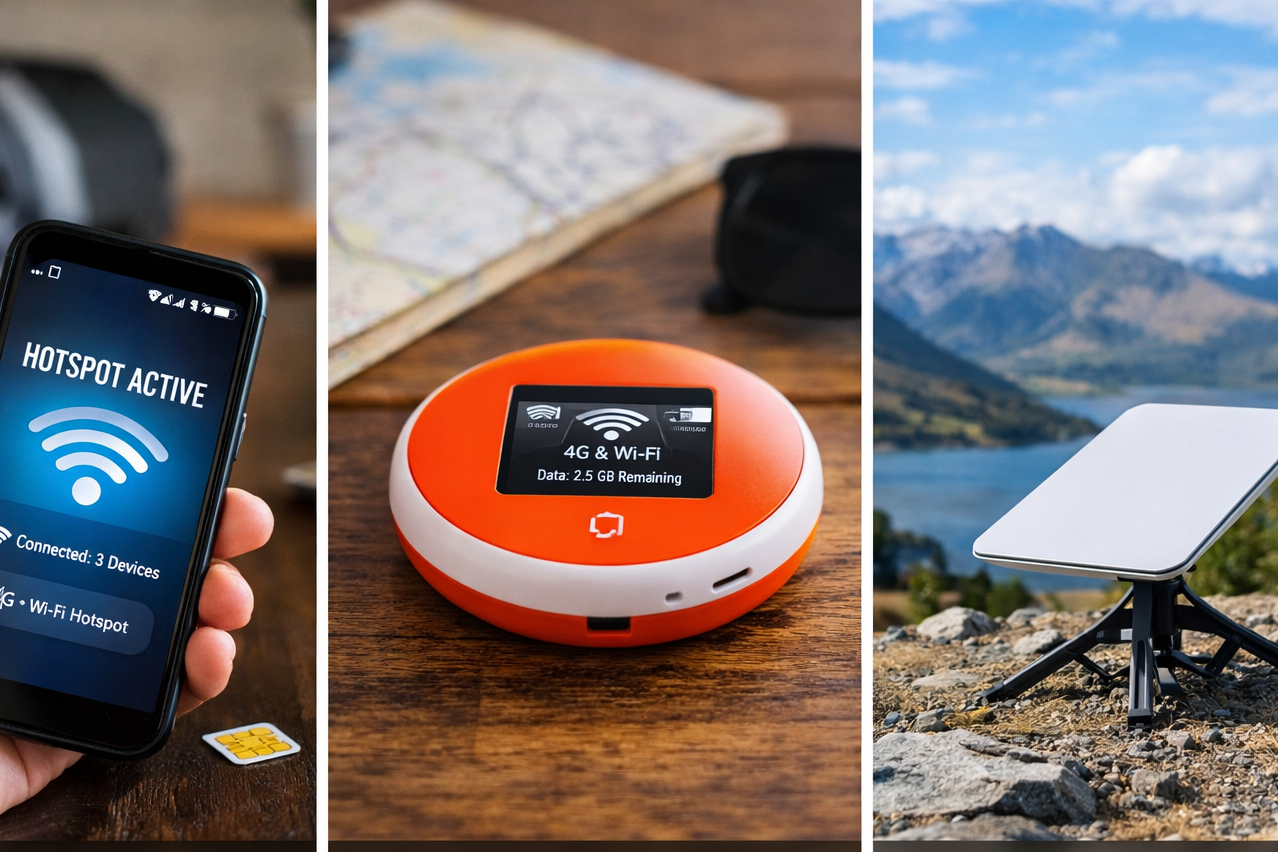
From basic mobile hotspot to satellite internet — choose your backup based on how remote your destination is.
Accommodation Matters More Than You Think
Sometimes the issue isn’t equipment — it’s where you’re staying.
Before booking long-term stays, I filter properties with strong WiFi ratings and reviews.
You can compare reliable accommodation options here:
👉 Search WiFi-Friendly Stays on Booking
Don’t assume “high-speed WiFi” in a listing means anything. Always verify.
Optimize Your Devices
Slow internet isn’t always the network.
Check for:
- Cloud backups syncing
- Software updates running
- 40+ browser tabs open
- Streaming apps in background
Before important calls, close everything.
VPNs and Speed
VPNs usually reduce speeds by 10–30%.
To minimize impact:
- Turn it off when you need more bandwidth
- Use premium providers
- Connect to nearby servers
Security matters — but understand the tradeoff.
Sometimes the Internet Just Isn’t Good
You cannot optimize your way out of terrible infrastructure.
If your work depends on internet:
- Upgrade your plan
- Change coworking spaces
- Switch apartments
- Move neighborhoods
It’s part of the
👉 Pros and Cons of Digital Nomading
Reliable internet is YOUR responsibility, I’ve seen a lot of people nomad for a year or so, they don’t manage their wifi / time well and end up back home.
The goal should be to make this long-term, to experience and learn as much as you can. Not go out one year, burn out (maybe lose your job) and return back home – that’s not a cool story.
My Digital Nomad Internet Toolkit
After 15+ years, I always travel with:
- Cat6 Ethernet cables
- USB-C to Ethernet adapter
- Portable hotspot
- Backup power bank
It takes luggage space.
But losing clients takes more.For a full breakdown of my setup:
👉 Digital Nomad Tools & Gear List
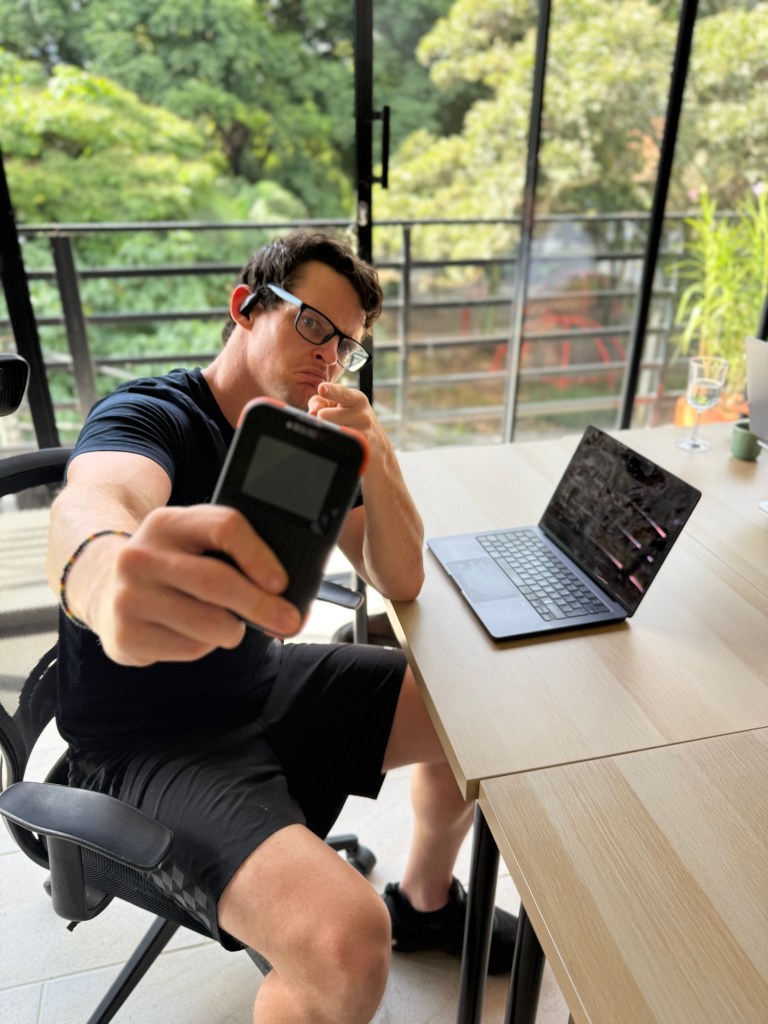
My real-world backup setup while working remotely — Solis has saved multiple client calls in unstable WiFi locations.
FAQ
1) What’s the fastest way to speed up internet right now?
- Restart modem/router
- Use Ethernet
- Close background apps
- Switch to 5 GHz band
2) What internet speed do remote workers need?
Minimum:
- 25 Mbps download
- 5–10 Mbps upload
Ideal:
- 50+ Mbps download
- 10+ Mbps upload
Note: Consistency > peak speed.
3) What’s the best backup internet option?
Minimum:
- Local SIM with hotspot
Advanced:
- Solis portable WiFi
- Starlink Mini (remote areas)
Final Thoughts
After 15+ years working remotely across 50+ countries, I’ve learned:
Reliable internet is not optional. It’s foundational.
Invest in:
- Good hardware
- Redundancy
- Smart setup
- Backup systems
Because when your income depends on connectivity —
slow WiFi isn’t just annoying.
It’s expensive.
Want to stay fit & eat healthy while traveling? Check out my guide to diet fitness while traveling here!
About Me

The Creator Of Digital Nomad Lifestyle
Hi! My name is Loren Ross, after establishing my own business while traveling the world I decided to create this blog for existing and aspiring digital nomads.
See My Full Journey To Being A Digital Nomad Here
Anything you want that you’re not seeing? Please reach out to me on one of the social media channels below, I’d love to see if I can help out. Check out my digital marketing business.
Leave a Comment